Docs
Getting started
There's no separate onboarding wizard: after you sign in, the dashboard itself is the starting point. It shows four stat cards — Credits, Generations, Shopify Sync, Current Plan — and a "Create Something" grid of quick-action tiles, from Image Generation to Shopify & Marketplace. Click any tile to open that tool directly.
There's no separate onboarding wizard: after you sign in, the dashboard itself is the starting point. It shows four stat cards — Credits, Generations, Shopify Sync, Current Plan — and a "Create Something" grid of quick-action tiles, from Image Generation to Shopify & Marketplace. Click any tile to open that tool directly.
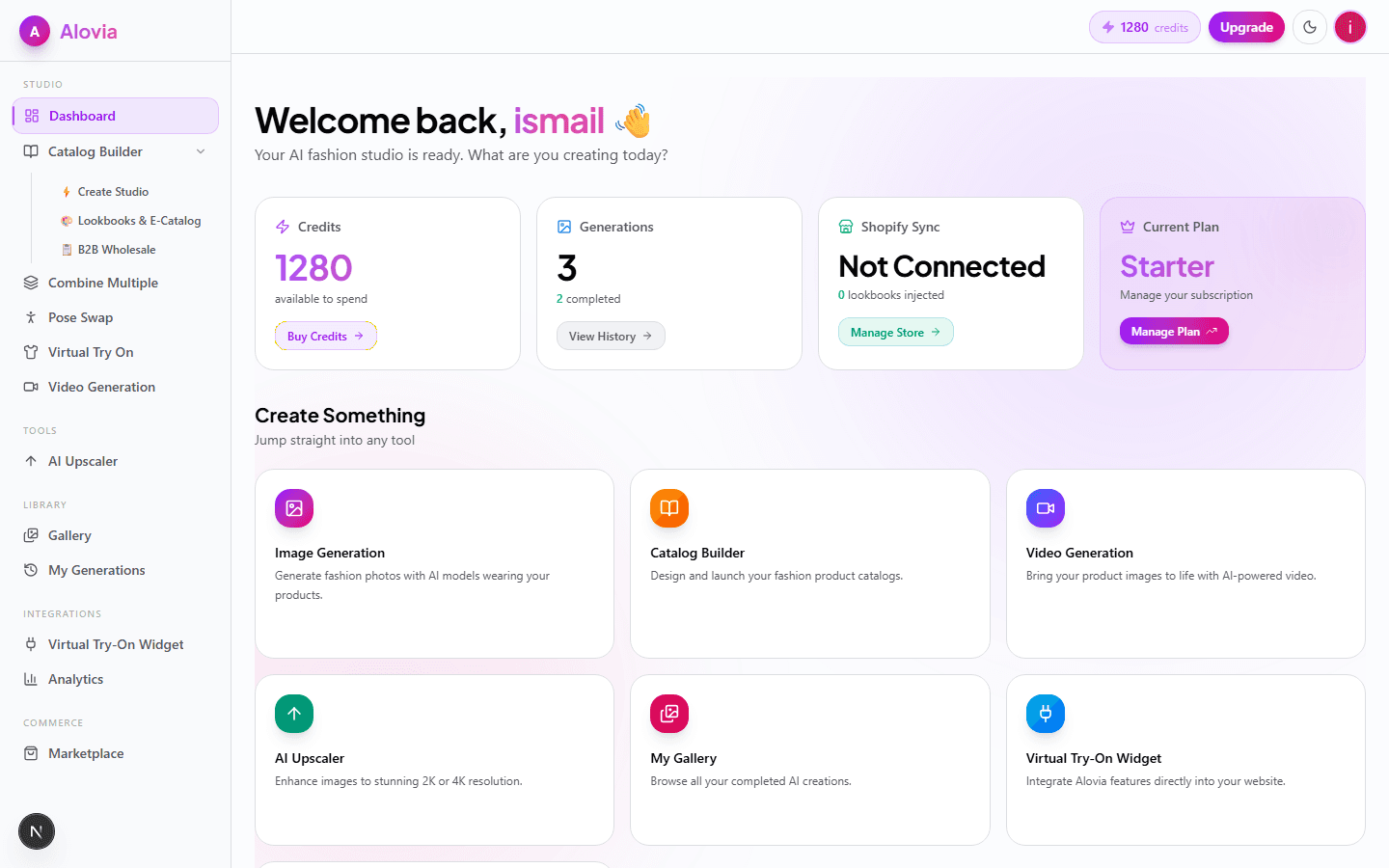
Where you land after signing in
There is no setup wizard or product tour. Signing in takes you straight to the dashboard, which greets you by name and asks what you're creating today — the dashboard itself is the entry point, and every tool is one click away from it.
The four stat cards
Across the top of the dashboard, four cards track account state in real time: Credits (your available balance, with a Buy Credits link), Generations (total and completed count, with a View History link), Shopify Sync (Connected or Not Connected, plus how many lookbooks have been injected into your storefront), and Current Plan (your plan name, with an Upgrade or Manage Plan link).
The Create Something quick actions
Below the stat cards, a grid of tiles jumps straight into each tool: Image Generation, Catalog Builder, Video Generation, AI Upscaler, My Gallery, and Virtual Try-On Widget. Each tile carries its own one-line description and links directly to that feature — there is no intermediate menu between clicking a tile and using the tool.
Where most sellers start
For sellers building a catalog, lookbook, or line sheet, the Catalog Builder tile is the fastest path in — it opens the same Create Studio and Template Layout Compiler choice documented in Catalog & Lookbook Builder. A first campaign can also start from the Fashion Campaign how-to guide, which walks the same flow step by step.
Related
Ready to generate your first catalog?
Everything above reflects what Alovia ships today.
Last updated: