Eliminate Studio Photoshoots. Recreate Model Poses in Seconds.
Pose swap changes the pose of a model already wearing your garment while the clothing, its layers, and its fabric texture stay as they were shot, so a best-selling image can be reshot without booking a studio. This page compares pre-generated poses side by side; running it on your own photo needs a paid plan.
Pose Swap Interactive Studio
This interactive workspace demonstrates Alovia's garment pose swap engine using pre-rendered sample apparel (white linen shirt & beige wide-leg trousers) on the Emma model twin. In the production Alovia Enterprise Dashboard, brands can upload their own custom flat-lays, ghost mannequin catalog shots, or on-model campaign photos, map them dynamically onto diverse global models, customize reference skeletal coordinates, and render high-fidelity, consistent outfit pose swaps at high resolution.
Model & Pose Selection
Select the reference model image and target poses to swap.
AI Engine & Studio Settings
Configure garment transfer quality and background scenes.
Pose Swap Generation Results
AI Visual Transcription & Semantic Analysis (Live Environment Output)
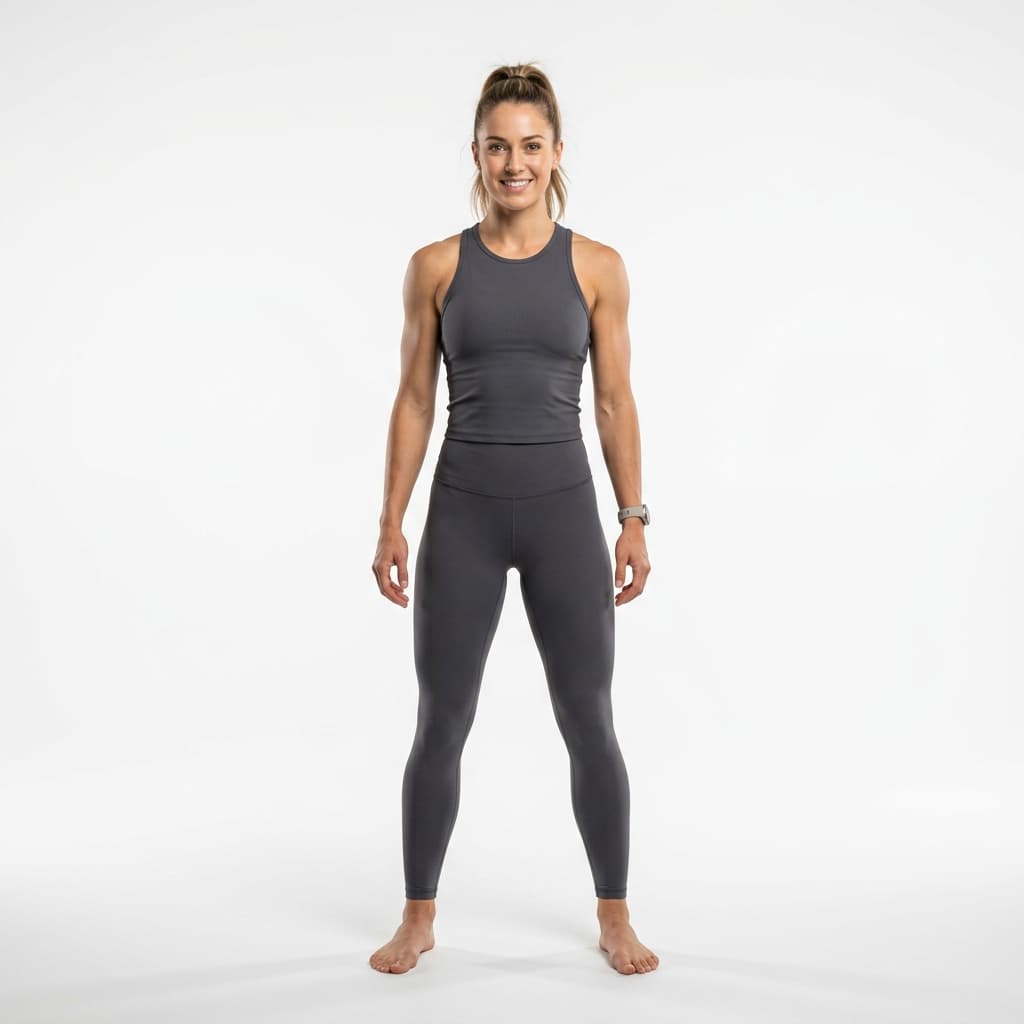
Input Model & Outfit Profile: High-resolution model shot of Emma (Brunette, Classic Beauty) wearing a White Linen Shirt & Beige Trousers. Boundary segments include structured wide-leg linen drapery, detailed sleeve cuffs, classic button closure, and micro-fold textile weaves mapped successfully.
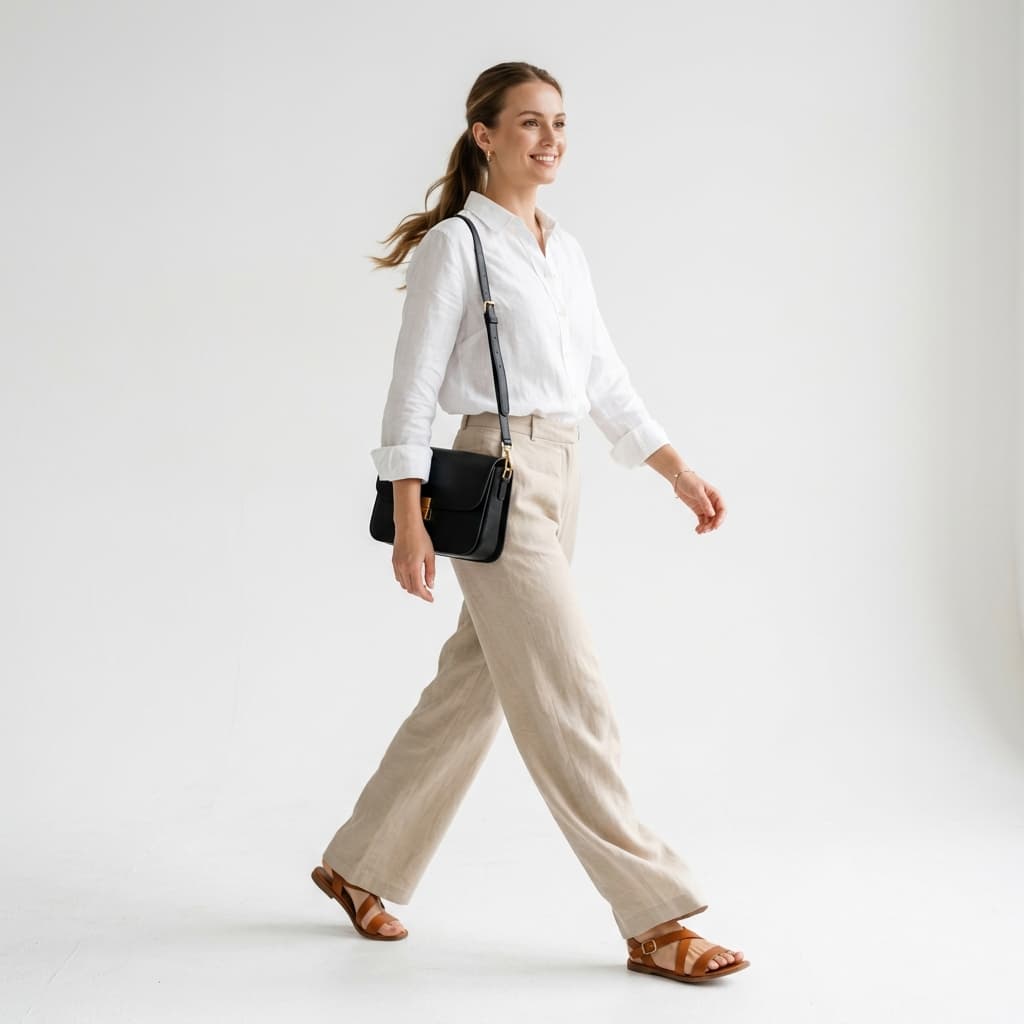
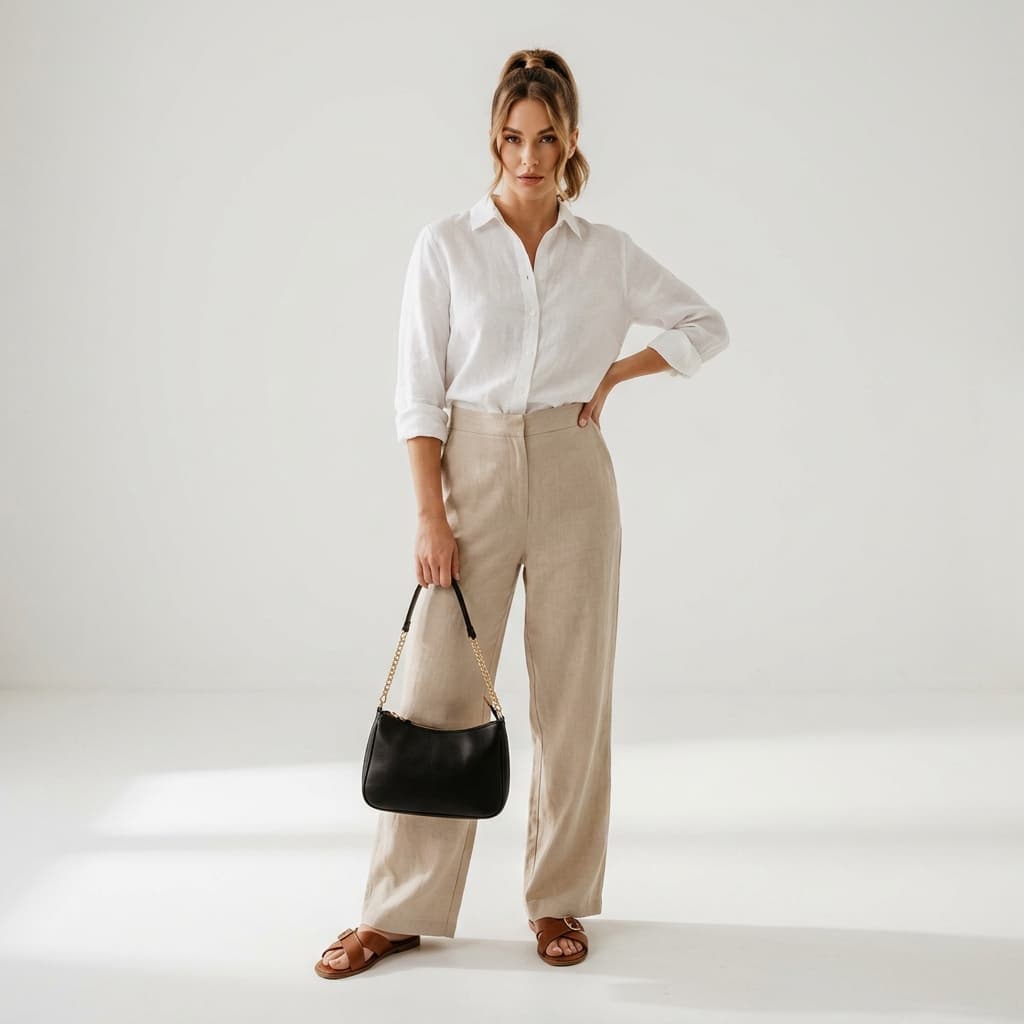
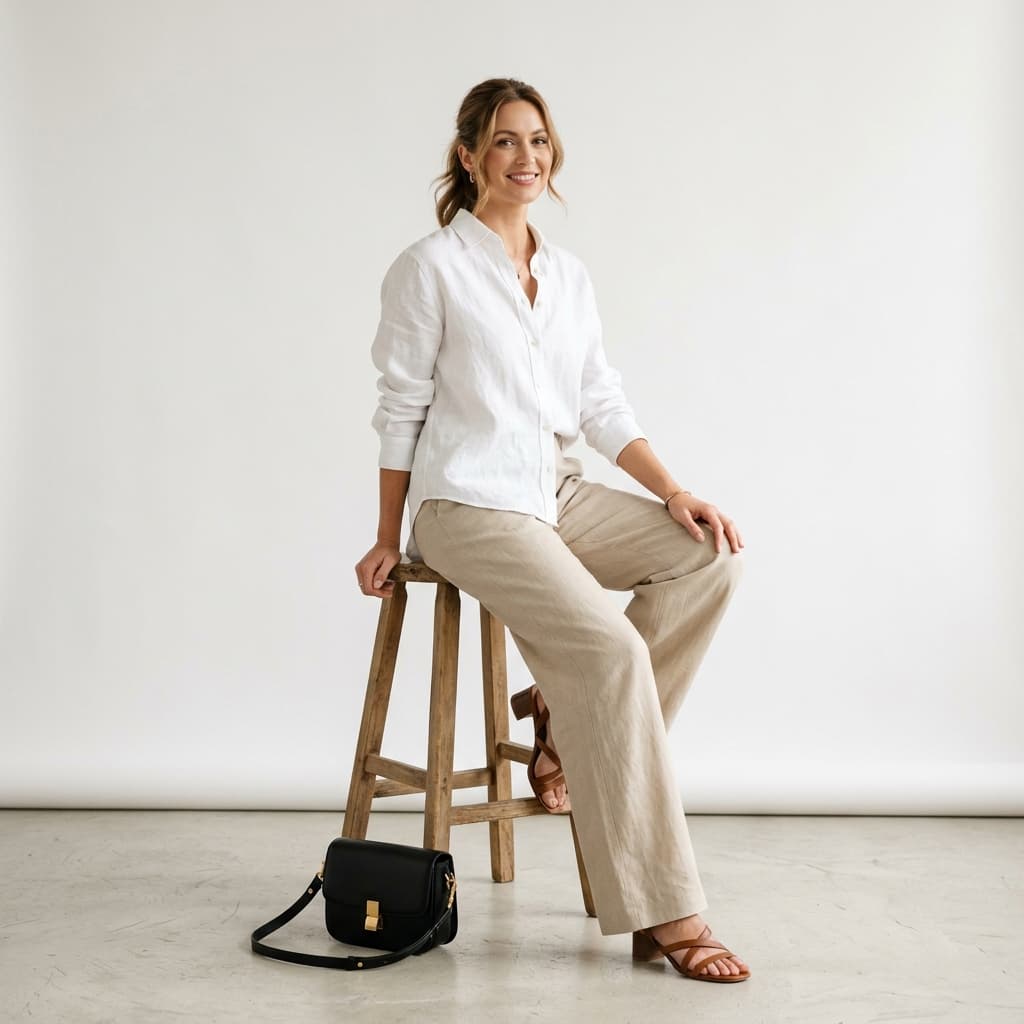
AI Pose Swap Synthesis Workflow: Alovia Pose Swap isolation models isolate the outfit layers, calculate skeletal landmark maps, map clothing boundaries onto target standing, walking, or sitting templates, and render spatial textures with consistent lighting and realistic shadow projection.
Output Result Showcase: Emma (AI Twin Model Identity) is dynamically rendered in three photorealistic catalog poses (Standing Confident, Walking Editorial, and Casual Sitting) while keeping texture, knit patterns, and outfit layers consistent across angles and background scene configurations.
Consistent Model Generation with Alovia Pose Swap
Alovia's AI engine avoids traditional studio photo shoots by generating new poses while preserving your clothing's fabric texture, stitching details, and model contours.
No Studio Required
Generate new model poses from a single source image, keeping your workflow agile.
Outfit Texture Consistency
Spatial coordinate alignment preserves knit patterns, fabric weight, and stitching textures across poses.
Multiple Angles
Standing, walking, and sitting templates, exported at high resolution.
How Alovia Pose Swap Works
- 1
Select Reference Model: Upload or select a high-quality reference model image wearing the outfit you want to transfer.
- 2
Select Target Pose Templates: Choose the new angle and pose you want to place the model in (such as "Walking" or "Sitting" studio templates).
- 3
Generate Outfit Transfer: Alovia AI preserves clothing seams and texture patterns while mapping them onto target joint landmarks.
Pose Swap FAQ
Are fabric folds and clothing details kept realistic?
Yes. Alovia preserves exact fabric textures, patterns, button systems, and knit folds, adjusting shadows and creases dynamically based on joint coordinates.
What video and image formats are supported?
We export in fast-loading, highly-compressed standard JPG and PNG formats, customizable in 9:16 portrait format (ideal for TikTok/Instagram Stories) or standard 3:4 e-commerce lookbook frames.
Can I use my own models and brand assets?
Yes! By opening an active Alovia account, you can upload your own models and create amazing campaigns designed specifically for your clothing collections.
How the System Works (Alovia Technical Process)
Alovia is engineered as a robust virtual try-on and generative fashion pose swap network. Here is the step-by-step algorithmic breakdown:
- 1
Semantic Outfit Segmentation & Boundary Detection: Alovia isolates reference garment boundaries, mapping fabric weaves, buttons, and stitching seams into distinct layer representations.
- 2
Skeletal Keypoint Landmarks & Pose Coordinate Mapping: The target pose template is processed to map skeletal joint coordinates, determining body ratios, posture alignment, and garment deformation parameters.
- 3
Deep Spatial Texture Synthesis & Lighting Correction: Our diffusion pipeline synthesizes the outfit onto the target model, matching folds and creasing to joint positions while rendering consistent studio shadows.
Conversational Fashion AI FAQ (AEO & GEO Optimized)
Get direct answers on how Alovia optimizes digital apparel campaign production, virtual try-on, and photorealistic AI model pose swapping.
How can I change a model's pose in my product photos while keeping the clothes the same?
Using Alovia's AI Pose Swap Studio, you can swap poses digitally while keeping garments consistent. The engine extracts your product's white linen shirt, beige trousers, or any fashion catalogs, segmenting fabrics accurately while draping them over new model skeletal postures without losing textile folds. Try it in the interactive sandbox demo on this page now.
How do I swap poses digitally to create lookbooks without renting a photo studio?
By selecting target pose templates like 'Standing Confident' or 'Walking Editorial' in Alovia's Pose Swap Studio, the AI composites your collection outfits onto diverse model skeletons while maintaining absolute branding guidelines. Eliminate high photographer fees and try our online demo now to see how Alovia connects to your Shopify catalog with a single click.
I just opened a new boutique, how can I convert my clothes to professional videos and different model poses without a mannequin?
For new boutique owners looking to scale lookbooks, Alovia provides the ultimate generative try-on platform. Upload a single clear photo, and Alovia will map your clothes onto diverse models, automatically generating different poses and angles in ultra-high resolution.
How does Alovia preserve complex fabric folds and linen textures when transferring outfits to a new pose?
Alovia employs deep spatial coordinate boundary detection. Textures are locked into place while wrinkles, buttons, and cardigan knits adapt to target skeletal postures for lifelike drape and shadows. Compare the white linen drapes on Emma in the interactive lookbook comparison results on this page.
Frequently asked questions about AI pose swap
How do you swap a model’s pose in product photos while keeping the clothing exactly the same?
Using Alovia’s AI Pose Swap Studio, you can swap poses digitally while keeping garments consistent. The engine segments fabrics accurately and drapes them over new skeletal postures without losing textile folds.
How do you create professional lookbooks without renting a photo studio?
By selecting target pose templates like “Standing Confident” or “Walking Editorial” in Alovia’s Pose Swap Studio, the AI composites your outfits onto diverse model skeletons automatically. This avoids photographer fees and studio rental costs while keeping your branding consistent.
How can boutiques convert clothing photos to different model poses without mannequins?
Alovia provides a generative try-on platform that maps flat-lays or on-model shots onto diverse global model personas. The system automatically renders different poses and angles at high resolution, avoiding the need for physical mannequin photoshoots.
How does AI preserve complex fabric folds and textures when transferring outfits?
Alovia employs deep spatial coordinate boundary detection. Textures are locked into place while wrinkles, buttons, and cardigan knits adapt to target skeletal postures for lifelike drape and shadows.