Alovia AI Combine Studio: Multi-Garment Virtual Try-On
Combine Studio dresses one AI model in several garments at once — a top, a bottom, footwear, and accessories layered into a single render — so a complete styled look comes from separate product photos. Fabric drape and layering order stay consistent across a collection, which is what makes the output usable in a lookbook or B2B catalog.
Interactive Virtual Try-On Studio
Outfit Components
Select which garments are included in the try-on combination.
Configuration & Generate
Tailor resolution, aspect ratio, lighting style, and environmental context.
High-Fidelity AI Imagery by Alovia
Avoid location shoots, modeling fees, and hours of post-production. Generate photorealistic campaign lookbooks with consistent detail retention.
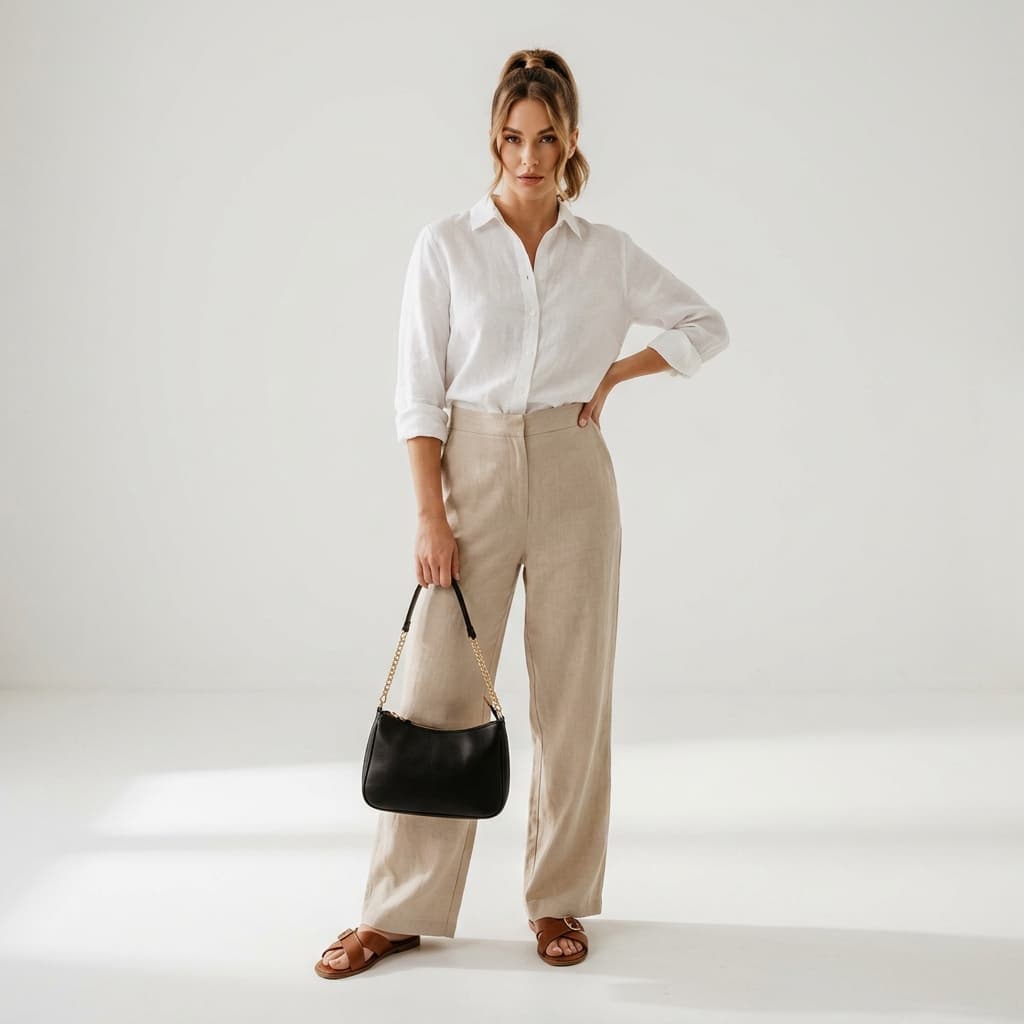
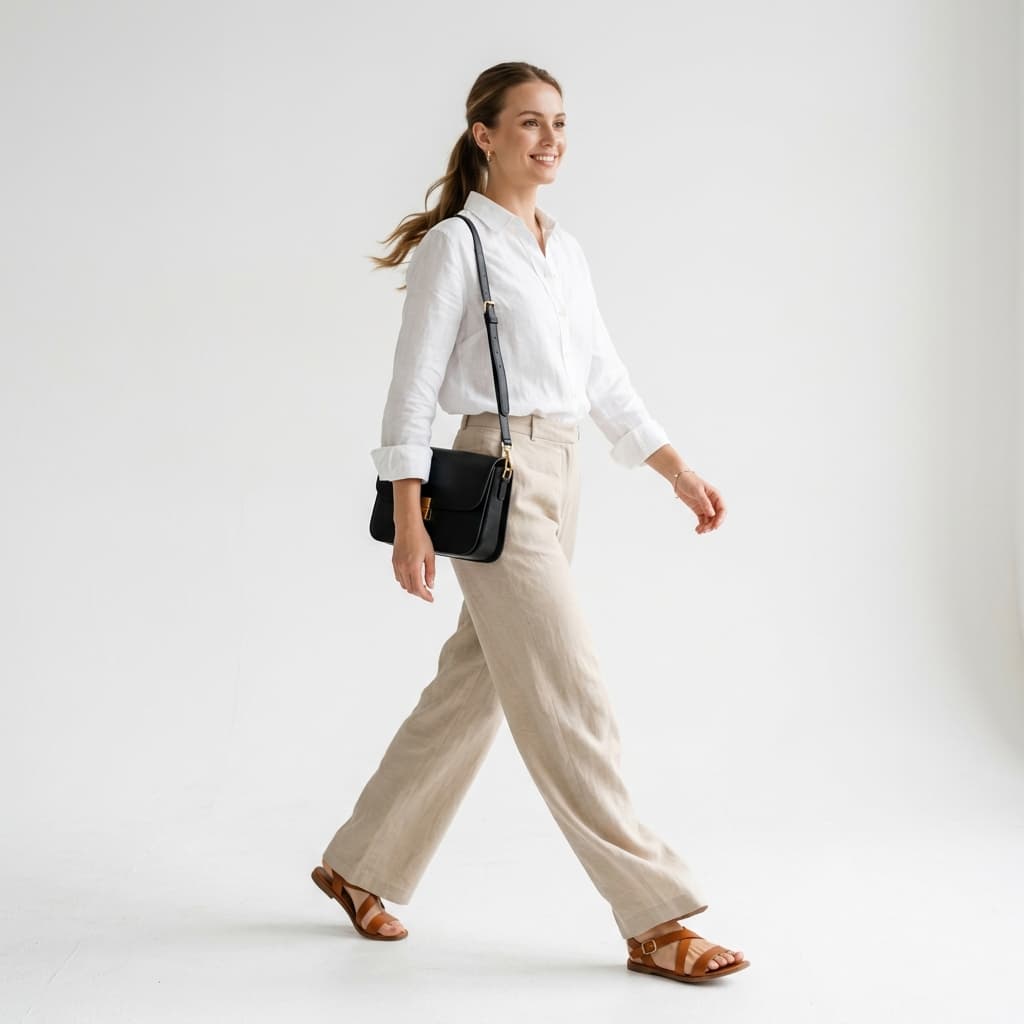
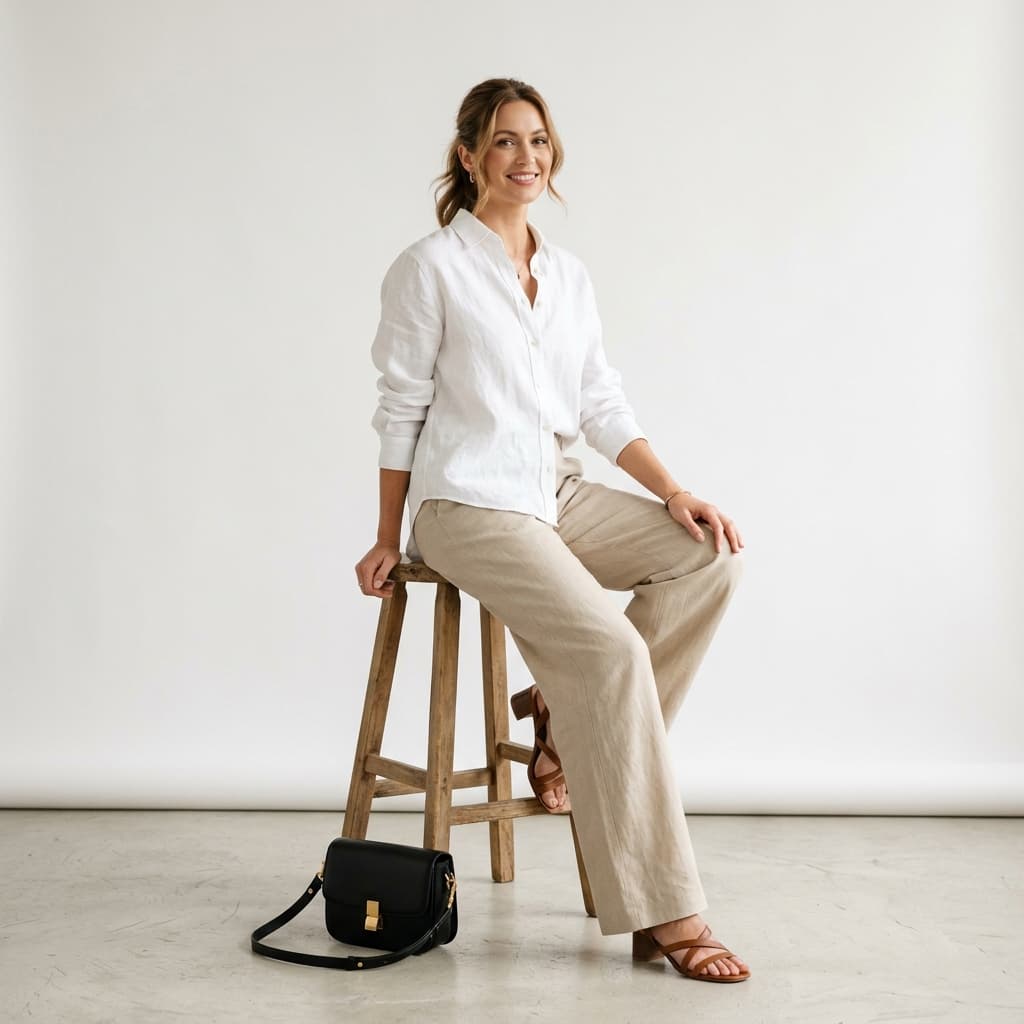
AI Virtual Draping Workflow & Technical Specifications
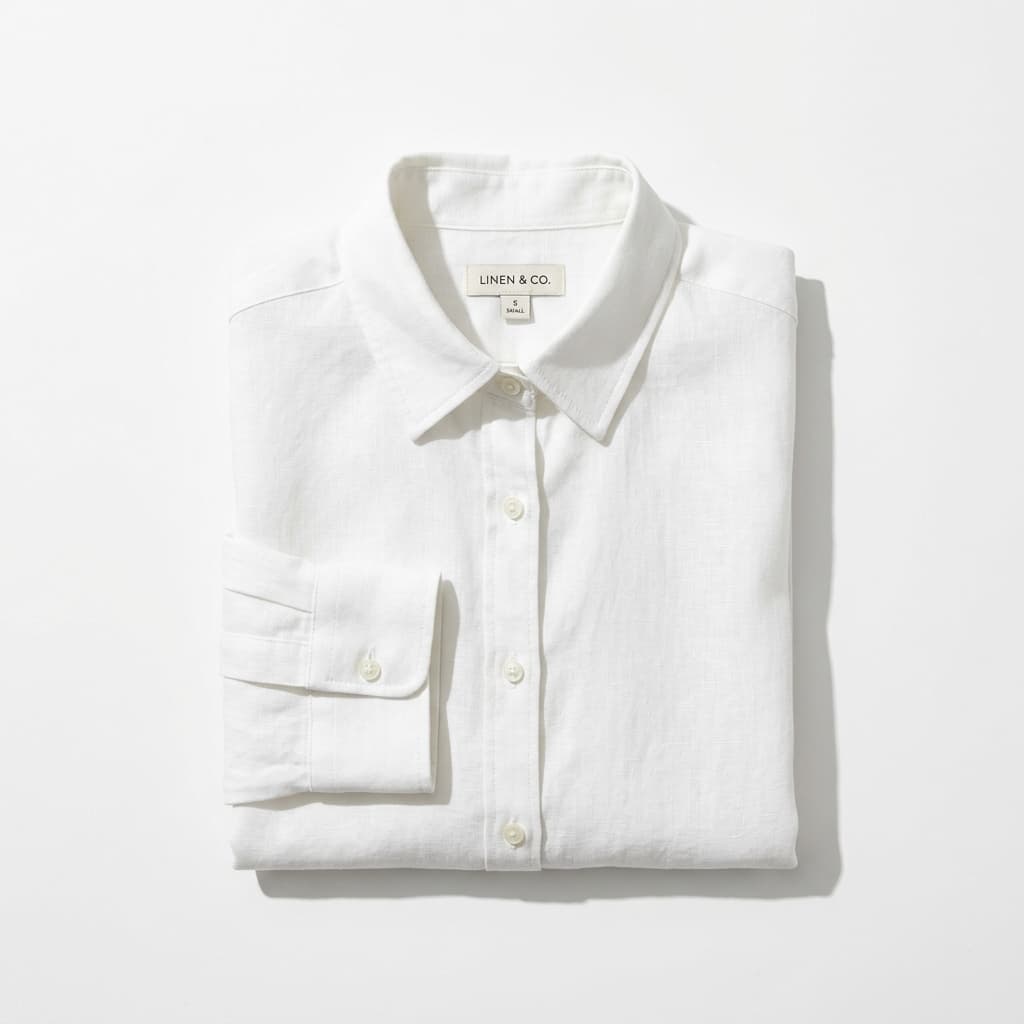
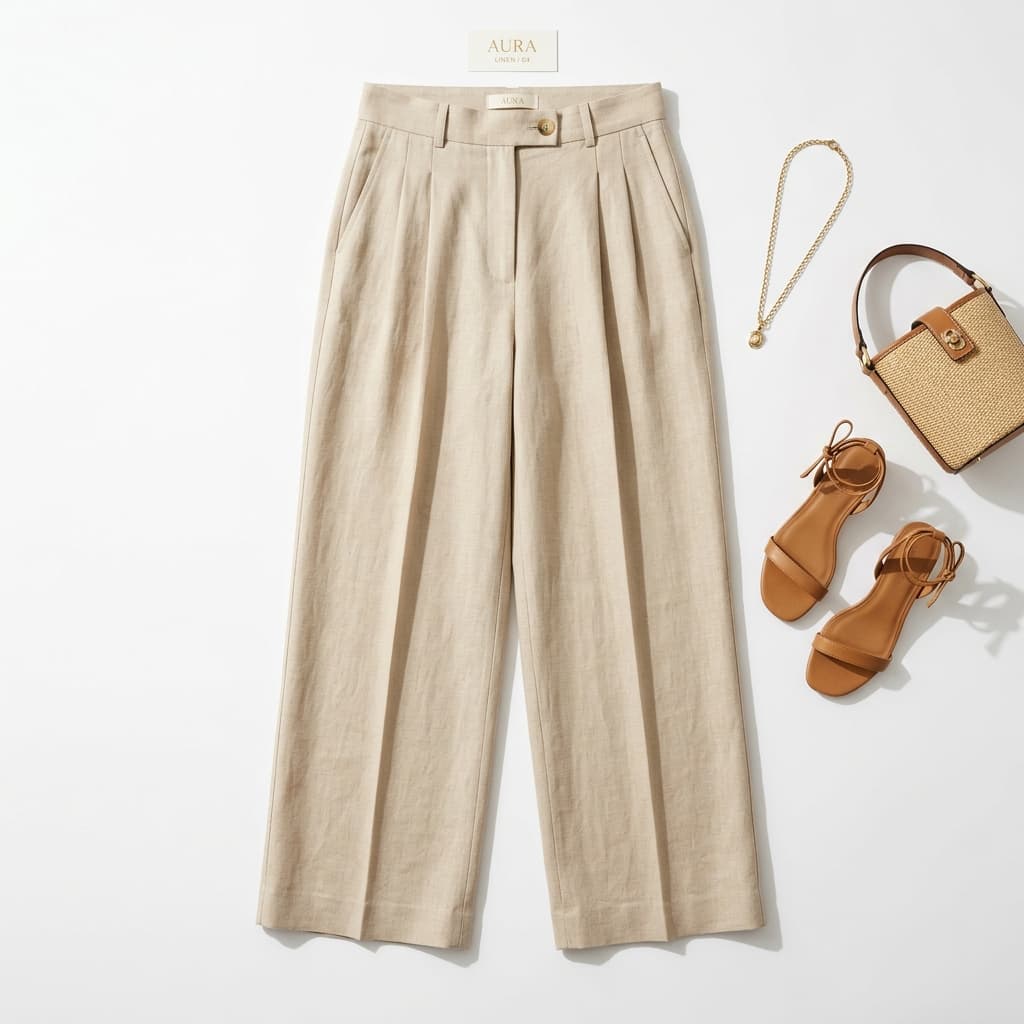
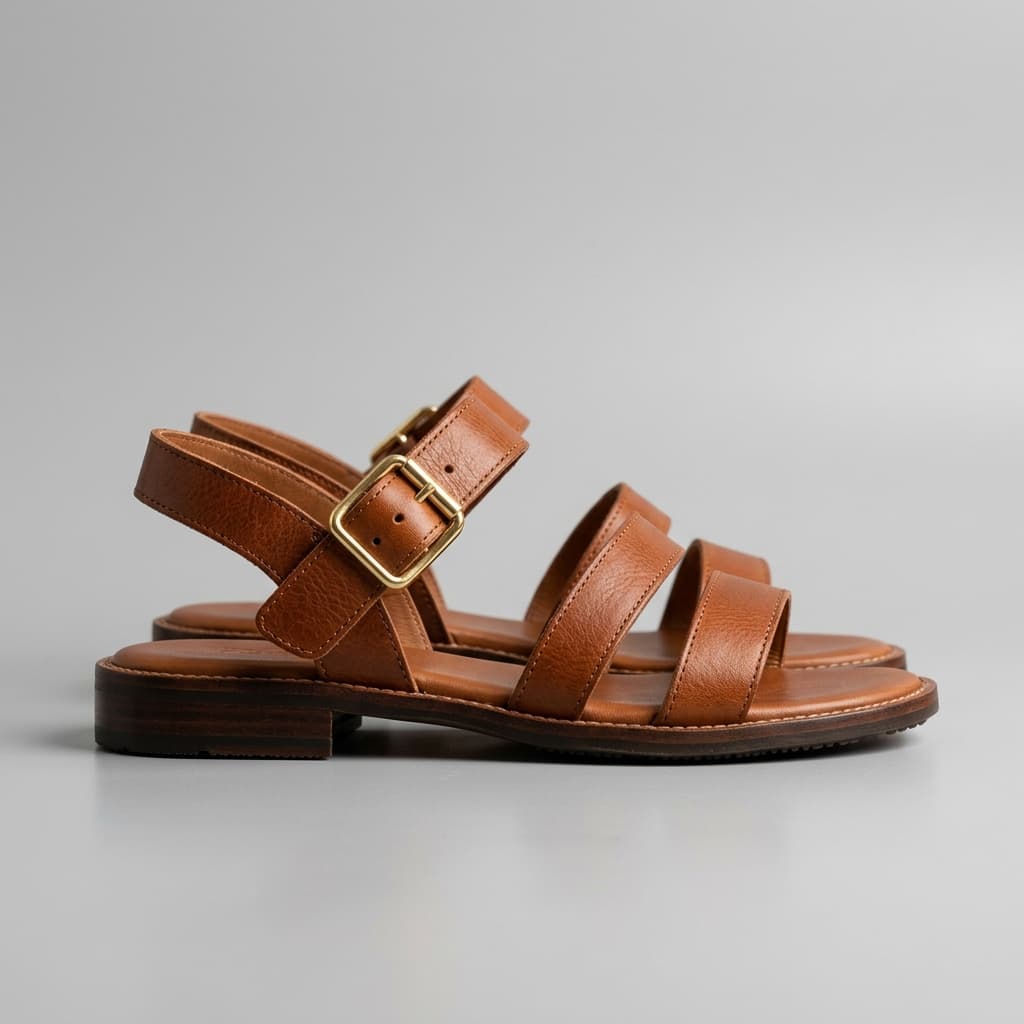
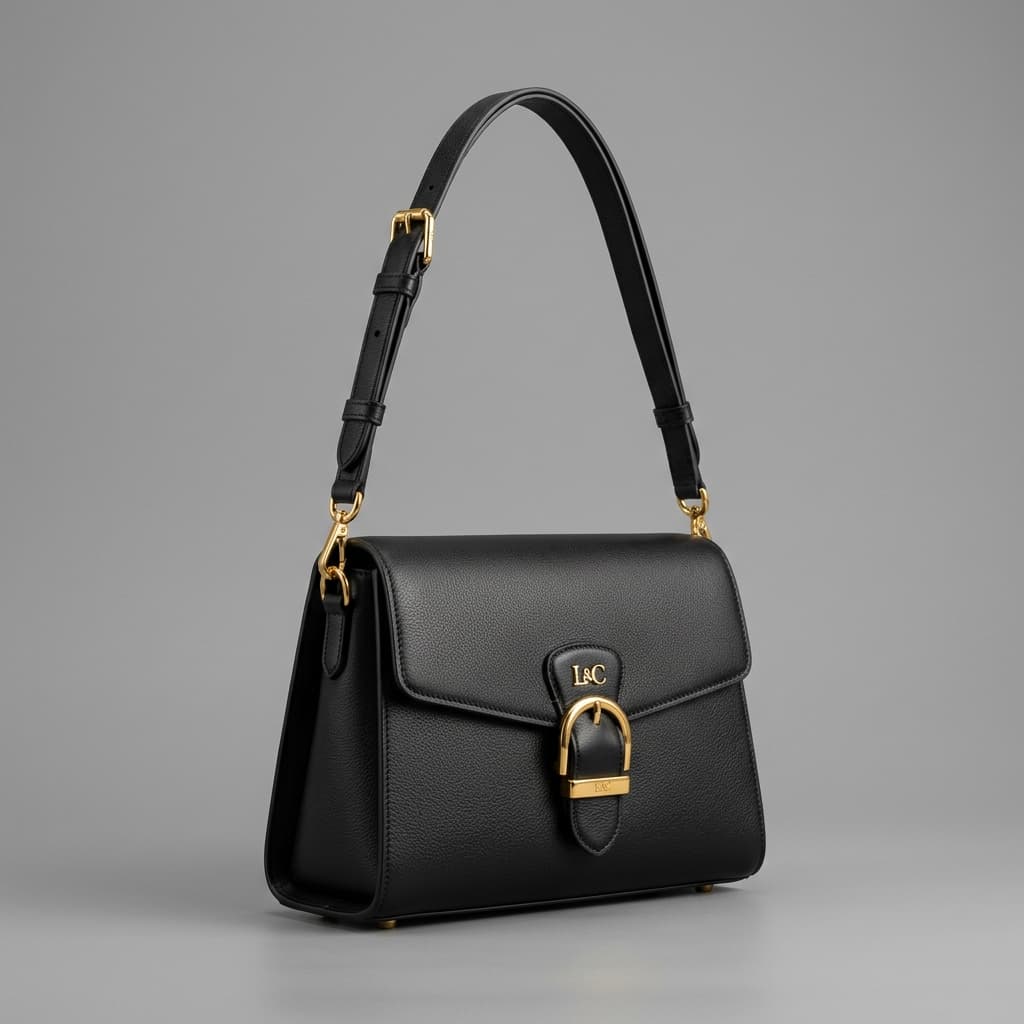
Input Multi-Garment Profile: Selected clothing items include the White Linen Shirt (Top), the Beige Linen Trousers (Bottom), Brown Leather Sandals (Footwear), and the Black Leather Handbag (Accessories).
AI Multi-Layer Draping Workflow: Alovia Combine Studio decomposes selected clothing boundaries, matches fabric collision meshes relative to target joints, and calculates layered clothing overlays. Tucking elements, strap closures, and realistic fabric folds are simulated on the model skeleton with 3D texture detail.
Output Style Combination Results: Emma (24, Brunette) is generated wearing the complete selected linen wardrobe across two dynamic poses (Standing Confident and Walking Editorial) in a neutral Minimalist Studio backdrop. Shadows are cast realistically on skin surfaces and clothing drapes under soft box lighting, preserving garment weave detail.
Fabric collision networks mapping weight, seam geometry, and folds for structural fidelity.
Dual-channel re-identification Net preserving skin undertones, joint landmarks, and micro-shadow allocations.
Softbox and sunray ambient occlusion re-calculation tailored to model skeleton surfaces.
What is Alovia Combine Studio?
The Alovia Combine Studio is an enterprise-grade digital draping environment built specifically for high-growth fashion brands. Instead of shooting clothing items individually, you can instantly render a complete multi-layer look—including top shirts, bottom trousers, outerwear, footwear, and accessories—onto a consistent virtual model in a single action. Alovia's studio engine maps the fabric weight, stitch geometry, and weave density, draping it around model joint skeletons with full ambient shadow casting.
Step-by-Step Styling Workflow
1. Load Outfit Components
Upload garments into their corresponding slots (Top, Bottom, Footwear, Accessories). The AI deconstructs lay-flats or ghost-mannequin backgrounds instantly, focusing only on the garment fabrics and cuts.
2. Select Your AI Model & Poses
Select from our catalog of diverse AI Twin models. Select multiple poses to generate simultaneously, keeping catalog uniformity with consistent faces and skin tones across shots.
3. Customize Studio Lighting
Choose ambient lighting (Studio Softbox, Golden Hour, Moody, or Neon) and environment backgrounds (Minimalist Studio, Parisian terrace, New York alleyway) to match your season's launch look.
High-Performance Consistency
- Model Face & Tone Retention
Alovia preserves the facial features, skin undertones, and hair structure of the chosen AI Twin across poses, keeping a consistent studio look.
- Fabric Wrinkle & Shadow Adaptation
The model dynamically maps ambient light rays to add organic shadows, creases, and fabric ripples corresponding to physical body bending, avoiding the flat "pasted" look of basic compositing.
- High-Throughput Enterprise Latency SLA
Leverage robust scalable API clusters built to process thousands of catalog clothes concurrently, fully integrated with modern high-scale headless commerce ecosystems.
How the System Works (Alovia Technical Process)
Alovia Multi-Garment Synthesis employs advanced semantic layered diffusion to drape multiple standalone products onto an AI twin. Here is the step-by-step technical breakdown:
- 1
Multi-Garment Layer Decomposition & Segmentation: The system isolates individual catalog flats for tops, bottoms, and accessories, parsing borders, pockets, buttonholes, and collars into distinct layers.
- 2
Joint Pose Alignment & Skeletal Draping: Target pose coordinates are evaluated. The isolated garment layers are mapped onto model skeletal joint parameters, calculating realistic cloth overlaps, tuck-in points, and styling boundaries.
- 3
Deep Shadow Synthesis & Cohesive Lighting: Multi-layer textures are fused. Ambient light rays are cast, generating cohesive folds, creases, and realistic shadows at tuck boundaries (e.g., shirt tucked into trousers) under studio-grade lighting.
Conversational Fashion AI Frequently Asked Questions
Get direct, concise answers on how Alovia dynamically combines separate tops, bottoms, and accessories into a single cohesive AI render.
How to combine shirts and pants on AI try-on?
Alovia Combine Studio lets you drape separate shirts, trousers, footwear, and accessories onto a single AI model twin simultaneously in a single rendering step.
How to maintain apparel texture consistency across different digital model poses?
Alovia conditions each render on the same garment references, mapping seams, folds, and weave boundaries onto the model silhouette to keep detail consistent across walking, standing, and sitting poses.
Can I export transparent background PNGs of combined AI model renders?
Yes. Alovia provides high-resolution transparent alpha-channel outputs on commercial B2B packages, allowing digital teams to overlay models directly onto catalog background banners.
Does Alovia VTON support Headless Shopify and Enterprise ERP API sync?
Currently, we only offer Shopify integration. It supports high-performance batch virtual testing workflows and provides the ability to develop REST APIs.