Product
Studio-quality on-model photos from a flat lay
Alovia generates realistic on-model fashion photos from plain product shots — no photographer, studio, or booking. Upload a flat lay, choose a model and pose, and get catalog-ready imagery in minutes. The same flat lay can be regenerated on any other model in the library.
Alovia generates realistic on-model fashion photos from plain product shots — no photographer, studio, or booking. Upload a flat lay, choose a model and pose, and get catalog-ready imagery in minutes. The same flat lay can be regenerated on any other model in the library.
What can AI Fashion Models do?
Diverse models
A model library spanning ethnicities and age groups.
No photoshoot
Skip studios, models, and bookings entirely.
Native high resolution
Generated at full resolution, print-ready.
From one flat lay to a studio shot
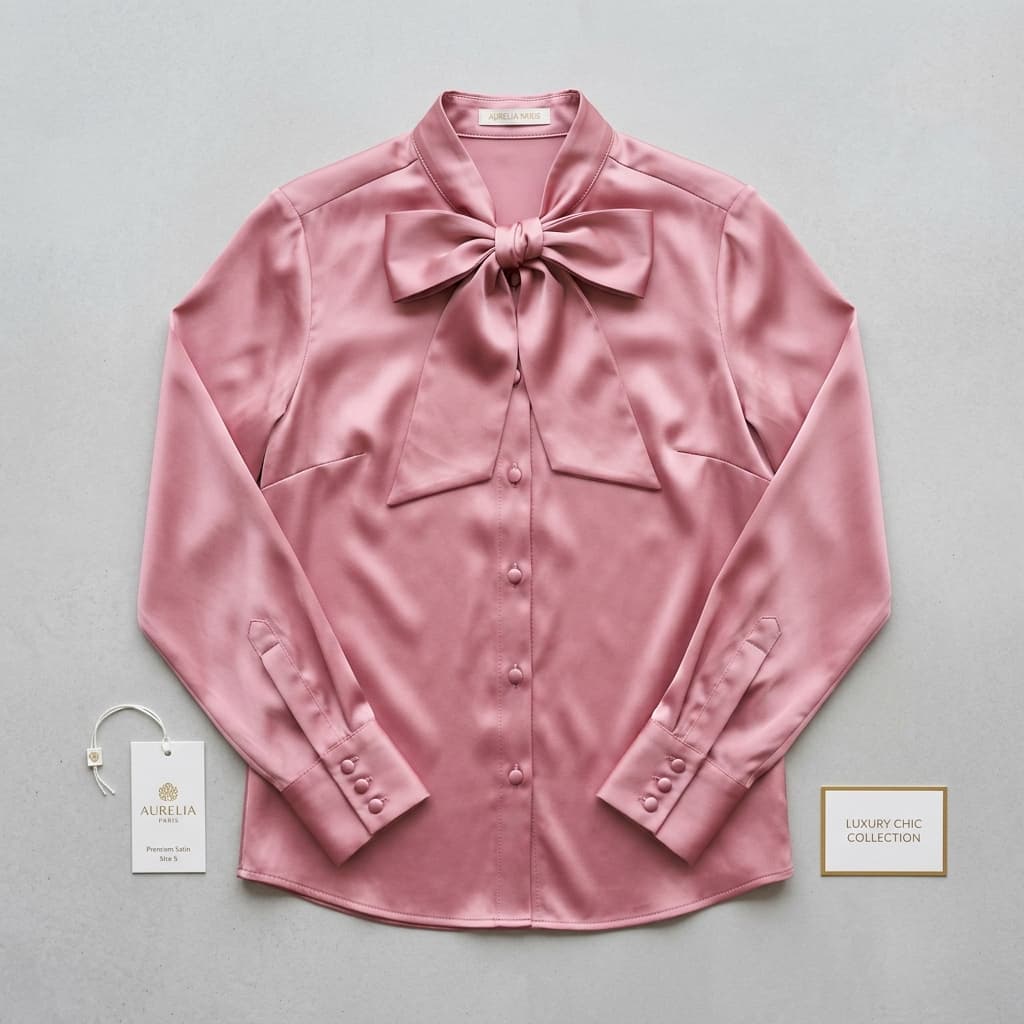
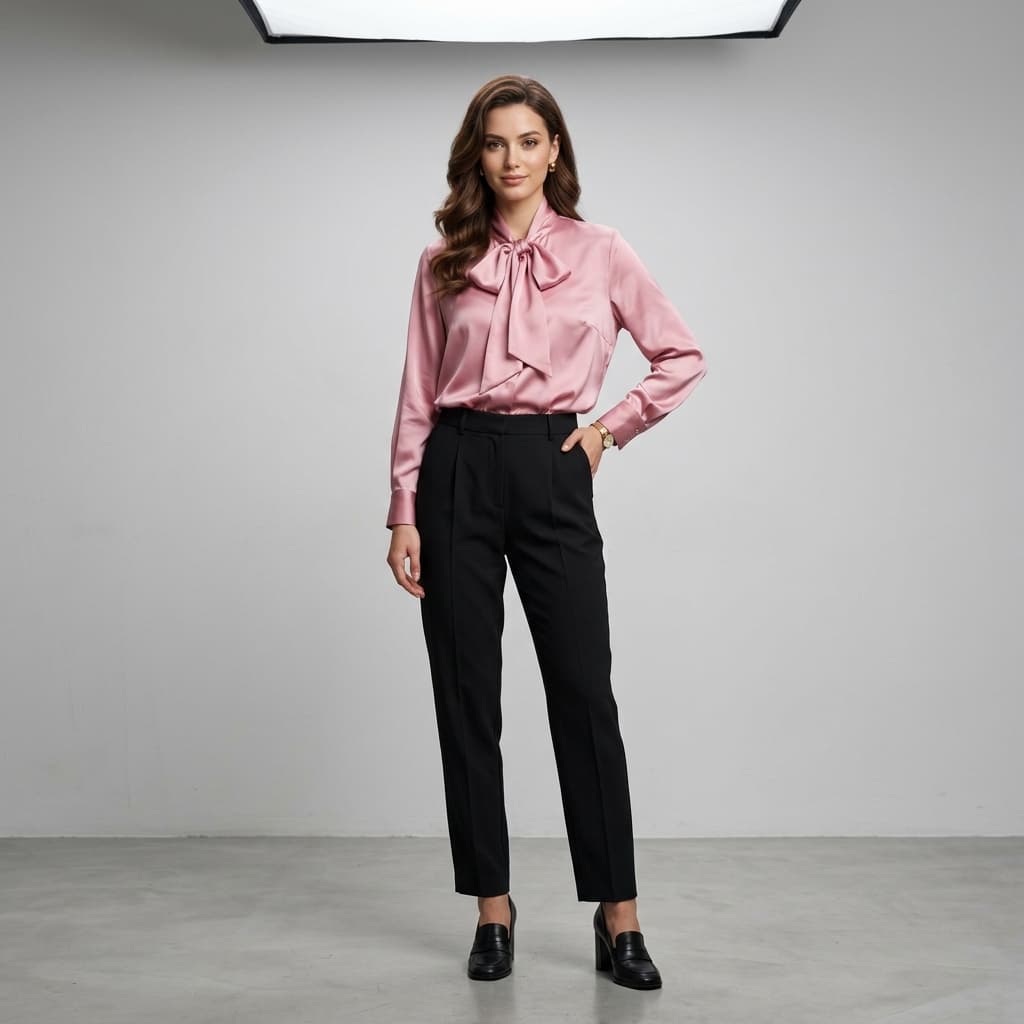
One product photo in, one on-model photo out. The blouse in both frames is the same garment file — nothing was re-shot.
How does AI Fashion Models work?
1. Upload a flat lay
Drop in a plain product photo.
2. Choose a model & pose
Pick from diverse AI models.
3. Generate
Get on-model imagery in minutes.
Where do brands use AI Fashion Models?
How to Replace a Fashion Photoshoot
Generate on-model photography straight from flat-lay photos instead of booking a studio, model and photographer, then arrange it into a finished catalog.
Product Photos Without a Model, Mannequin, or Studio
Photograph clothes without a live model by generating on-model imagery from a flat-lay photo — no mannequin, studio booking or model casting needed.
How to Create AI Fashion Images for a Shopify Store
Connect Shopify, pull in a product image, generate on-model photography, then push the result back to your Shopify Files library with alt text.
How do brands rate AI Fashion Models?
“Running a boutique means we need fresh content for Instagram daily, but booking a model and studio every time new inventory arrives is financially impossible. Alovia completely changed our workflow. I just upload our basic product photos, and within minutes, we have stunning, realistic model shots ready to post. What used to take two weeks of planning and thousands of dollars now takes me 10 minutes over my morning coffee.”

Monica Betz
Women's Clothing Boutique Owner
“Shooting hundreds of items on models was financially impossible for us. With Alovia, we automated the whole process using our basic product shots. Our entire 500-SKU catalog now has consistent, professional model photography. Conversion rates jumped 42% in the first month alone. It's a very practical tool that directly impacts the bottom line.”

Jake Peterson
E-commerce Store Owner, STYLE DIRECT
Frequently asked questions about AI Fashion Models
Do I need a photographer?
No. Alovia generates on-model imagery from a flat lay.
Can I control the model?
Yes — filter the model library by gender, ethnicity, and age group, pick a pose, or upload your own reference model image.
What resolution does Alovia generate on-model photos at?
Alovia generates natively at 1K, 2K, or 4K, up to 3392×5056px on the highest setting — the image is rendered at that resolution directly, not upscaled from a smaller source. Higher resolutions cost more credits.
How many credits does generating an on-model photo cost?
Each generation costs 5 credits at 1K resolution, 10 at 2K, or 20 at 4K — the same rate the virtual try-on tool uses, since AI Fashion Models runs on the same generation engine.
What image formats and size limits apply to the flat lay I upload?
JPG, PNG, and WebP up to 10MB per upload. A clean, well-lit flat lay on a plain background produces the most accurate result.
Can I regenerate the same flat lay on a different model without re-uploading it?
Yes. Once a flat lay is uploaded, pick a different model from the library and regenerate — the same product photo carries over, so you don't need to re-upload it for each model.
Is there a monthly limit on how many photos I can generate?
No fixed generation cap — usage is metered by credits, not a count. Basic includes 100 credits a month (about 20 generations at 1K), Starter includes 500 (about 100 generations at 1K) and Pro includes 1,500 (about 300); how far that goes depends on the resolution and tools you use.
Can I try AI Fashion Models before subscribing?
Yes — Alovia has no ongoing free plan, but you can run the core generation tools, including virtual try-on, from the public demo pages without creating an account before you commit to a paid plan.
What works alongside AI Fashion Models?
Catalog Generator
Turn a creative brief and flat-lay photos into a finished lookbook, campaign or B2B line sheet, exported as a PDF or a shareable flipbook link.
Virtual Try-On
Generate on-model photos from a single flat lay to show how a garment fits and drapes — no physical photoshoot and no sample garment required.
Digital Showroom
Publish a catalog, lookbook or line sheet as an interactive flipbook: buyers open one link, browse on any device, and submit orders from the page.
Ready to try AI Fashion Models?
Turn your products into buyer-ready catalogs — no photoshoot required.
Sources
- Baymard Institute — Apparel benchmark sites with no human-model image, or only one (21%). Source dated 2025-02-25.
- ProShot Media — Full-service agency product photography, per image ($100–$300+). Source dated 2025-08-28.
- National Retail Federation — US online sales returned in 2025 (19.3%). Source dated 2025-10-15.
Last updated: