Feature
Swap the AI model wearing your garment, without a reshoot
Model swap lets you change which AI model wears a garment in a generated photo, without reshooting. Filter the model library by gender, ethnicity, and age group — or upload your own reference model — pick a different one for the same flat lay, and Alovia regenerates the on-model image in minutes.
Model swap lets you change which AI model wears a garment in a generated photo, without reshooting. Filter the model library by gender, ethnicity, and age group — or upload your own reference model — pick a different one for the same flat lay, and Alovia regenerates the on-model image in minutes.
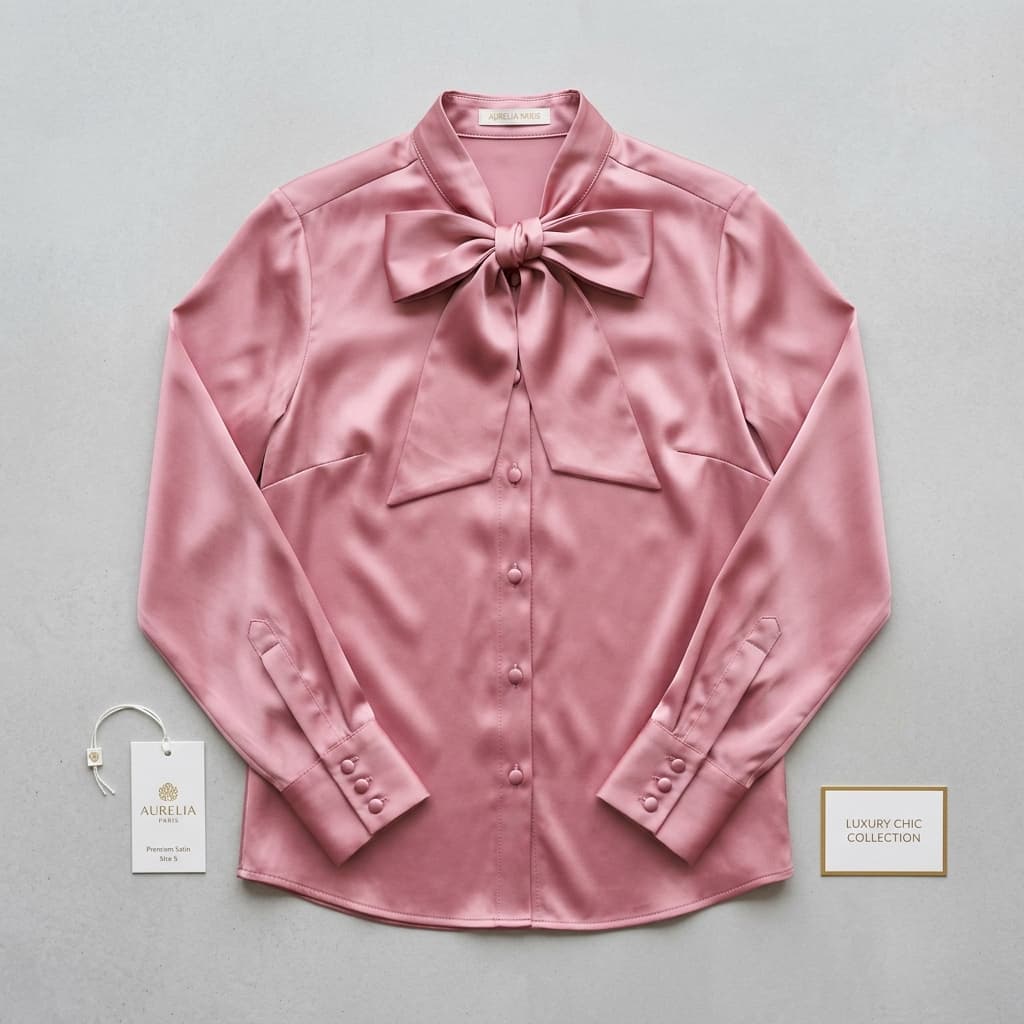
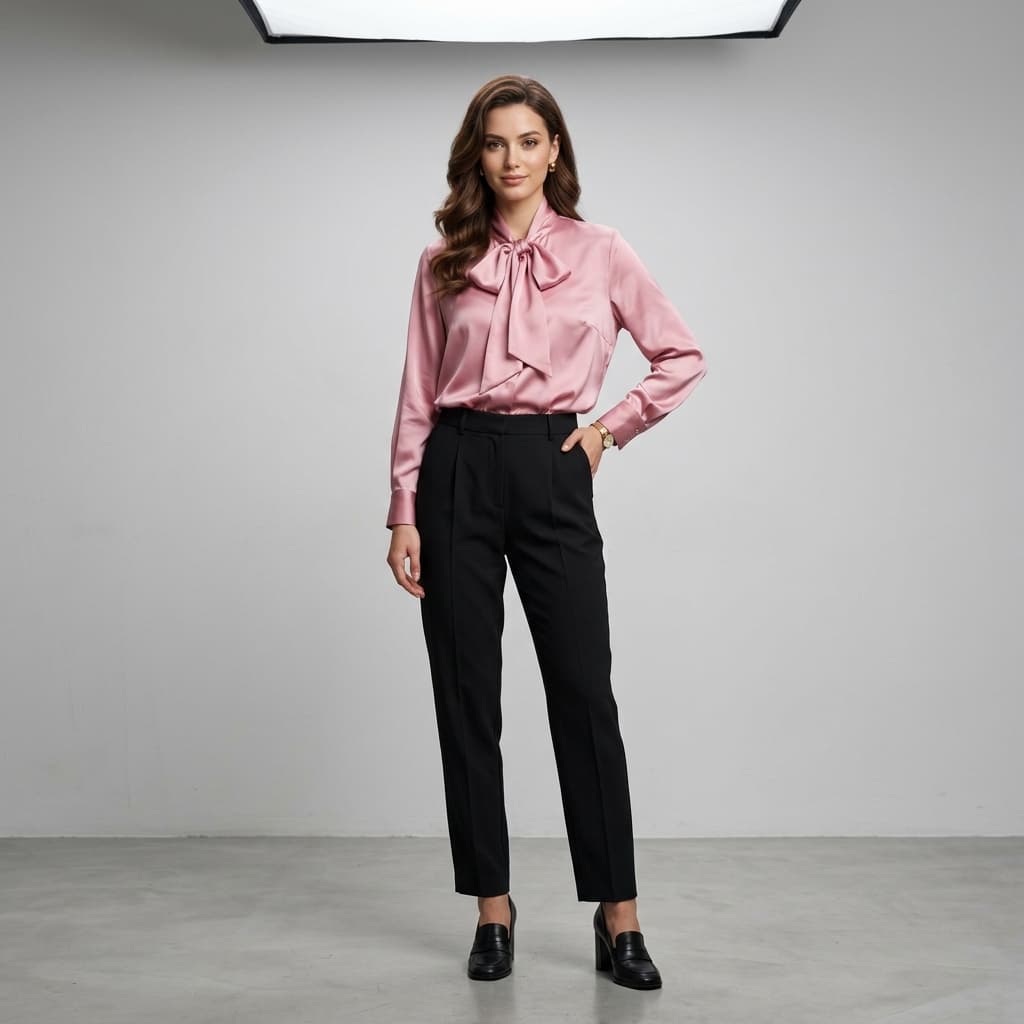
From one flat lay to a studio shot
One product photo in, one on-model photo out. The blouse in both frames is the same garment file — nothing was re-shot.
What can Model Swap do?
A diverse model library
Regenerate the same garment on a different model — filter by gender, ethnicity, and age group.
Or bring your own model
Upload your own reference model image and carry that same look across generations.
No reshoot needed
Swap the model on an existing generation instead of starting over.
How does Model Swap work?
1. Generate an on-model photo
Start from any flat lay using AI Fashion Models.
2. Open model swap
Pick a different model from the library, or a different pose.
3. Regenerate
Get a new on-model image of the same garment in minutes.
What are the technical specs for Model Swap?
| Spec | Detail |
|---|---|
| Credits per swap | 5 credits at 1K, 10 at 2K, 20 at 4K resolution |
| Model library filters | Gender, ethnicity, age group |
| Your own reference model | Upload a reference model image; Alovia generates onto it instead of the built-in library |
| Swap limit | No swap-count limit; metered by credit balance, not a fixed number |
| What one swap changes | Hair, face, identity, skin tone, and body measurements are locked to the model you pick |
How do brands rate Model Swap?
“Running a boutique means we need fresh content for Instagram daily, but booking a model and studio every time new inventory arrives is financially impossible. Alovia completely changed our workflow. I just upload our basic product photos, and within minutes, we have stunning, realistic model shots ready to post. What used to take two weeks of planning and thousands of dollars now takes me 10 minutes over my morning coffee.”

Monica Betz
Women's Clothing Boutique Owner
“Because I couldn't afford a professional agency, I modeled everything myself. It meant spending my entire Sunday changing outfits, adjusting tripods, and editing photos. Alovia gave me my weekends back. Now, I create stunning virtual try-on images instantly. It's incredibly cost-effective and makes my brand look like we have a massive marketing budget, without the physical toll of a DIY photoshoot.”

Ayse Aydin
Boutique Owner
What works with Model Swap?
AI Fashion Models
Generate realistic on-model fashion photos from a plain flat lay — pick a model and a pose, and get catalog-ready imagery in minutes. No photographer.
Combine Outfit
Composite separate flat lays of a top, bottom, footwear and accessories into one image of a complete styled outfit on a single AI model.
How to Replace a Fashion Photoshoot
Generate on-model photography straight from flat-lay photos instead of booking a studio, model and photographer, then arrange it into a finished catalog.
Product Photos Without a Model, Mannequin, or Studio
Photograph clothes without a live model by generating on-model imagery from a flat-lay photo — no mannequin, studio booking or model casting needed.
Frequently asked questions about Model Swap
Can I change the model after generating a photo?
Yes — pick a different model or pose and regenerate, without a new photoshoot.
Do I need a new flat lay for each model?
No. Model swap reuses the same flat lay across different models.
How many credits does regenerating with a different model cost?
5 credits at 1K resolution, doubling to 10 at 2K and quadrupling to 20 at 4K — the same per-generation pricing as any other on-model image, whether or not it is a swap.
Does the model's face and skin tone actually change when I swap?
Yes, deliberately — that is the entire point. Whichever model you pick for that generation has its hair, face, identity, skin tone, and body measurements locked in for that image; picking a different model changes all of those together, not just the outfit.
Can I swap to a model of a different ethnicity or age group than the original?
Yes — the model library filters by gender, ethnicity, and age group, so a swap can move to a completely different model, not just a different pose of the same one.
Is there a limit to how many times I can swap the model on the same flat lay?
No swap-count limit exists in the product — each swap is simply a new generation, metered by your credit balance rather than capped by a fixed number of allowed swaps.
Does swapping the model cost more if I used Combine Outfit instead of a single garment?
The base rate is the same 5 credits per pose either way; Combine Outfit's cost scales with the number of poses you request in that regeneration, not with how many garment categories are in the outfit.
Can I upload my own reference model instead of picking one from Alovia's library?
Yes — upload a reference model image of your own choosing and Alovia generates onto that model instead of one from the built-in library, keeping that same look across future swaps if you want.
Ready to try Model Swap?
Turn one flat lay into on-model photos across a diverse model library — no photoshoot required.
Sources
- Baymard Institute — Apparel e-commerce sites that lack sufficient sizing information (82%). Source dated 2025-02-25.
- National Retail Federation — US online sales returned in 2025 (19.3%). Source dated 2025-10-15.
- ProShot Media — Freelance product photography, per image ($25–$75). Source dated 2025-08-28.
Last updated: