Solution
A model library on demand, not a casting call
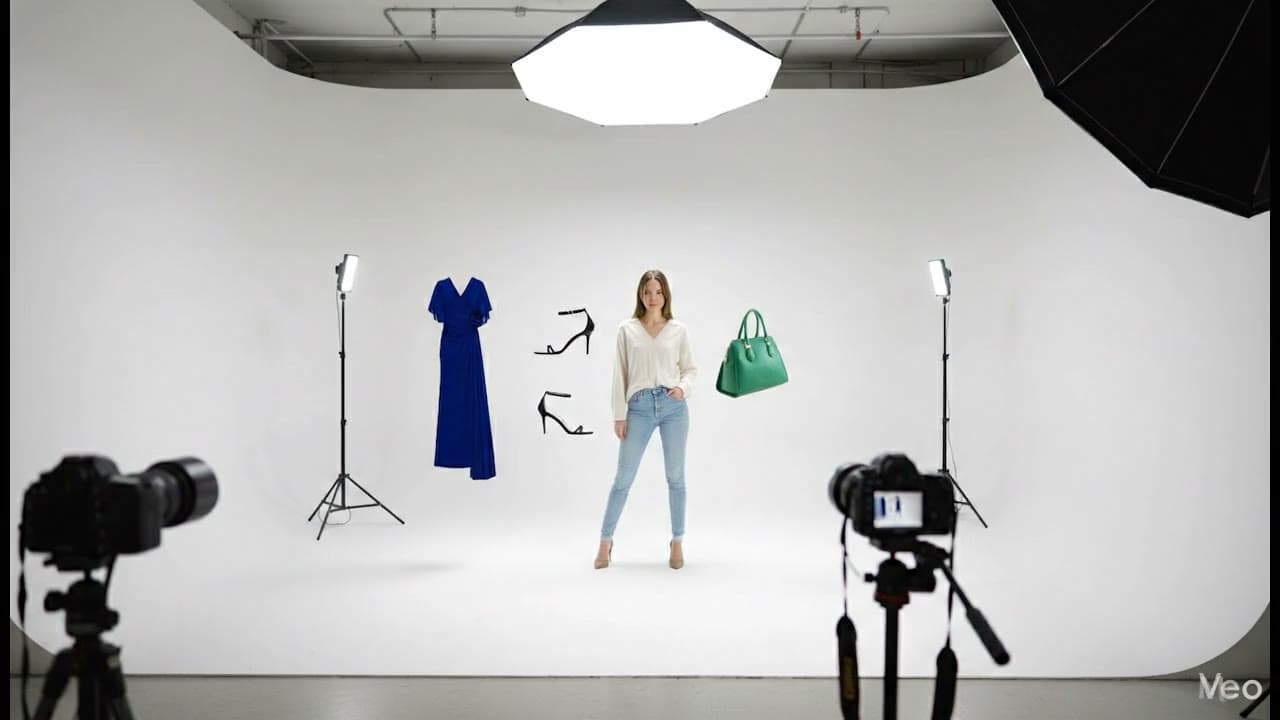
Generating AI fashion models means producing photorealistic on-model photos from a flat-lay or product photo instead of booking a live model and studio. Alovia's model library filters by gender, ethnicity, and age group — or upload your own reference model — then generates the garment onto that model at 1K, 2K, or 4K resolution.
Generating AI fashion models means producing photorealistic on-model photos from a flat-lay or product photo instead of booking a live model and studio. Alovia's model library filters by gender, ethnicity, and age group — or upload your own reference model — then generates the garment onto that model at 1K, 2K, or 4K resolution.
What you get when you generate AI fashion models from product photos
What does it cost to generate AI fashion models from product photos?
| Line item | Traditional photoshoot | With Alovia | Source |
|---|---|---|---|
| Full-service agency product photography, per image | $100–$300+ | 5–20 credits, 1K to 4K | |
| Photographer, per day | $1,500–$4,000 | Not required | |
| Model, per day | $500–$2,000 | Not required | |
| Turnaround to edited delivery | 5–10 business days | Minutes | |
| Cost per look | Billed by the day, not per look | 10 credits, about $1.00 per look | |
| What you pay monthly | Not a subscription | $49.99 Starter · $149.99 Pro |
What do you need to generate AI fashion models from product photos?
A model library, not a casting call
AI Fashion Models (/products/ai-fashion-models) generates onto a model from the library — filter by gender, ethnicity, and age group, or upload your own reference model image instead.
Two ways to put a garment on a model
Virtual Try-On (/products/virtual-try-on) puts one garment on a chosen model; Combine Outfit (/products/combine-outfit) composites a top, bottom, footwear, and accessories onto one model in a single image.
Identity preserved on every swap
Virtual Try-On keeps the reference model's hair, face, identity, skin tone, and body measurements unchanged while it swaps in the new garment.
A new pose without a reshoot
Pose Swap (/products/pose-swap) re-renders an existing model image in a new pose from a searchable pose library, with the garment, hair, and face unchanged.
Scene, format, and resolution control
Choose a scene preset, aspect ratio, output format, and resolution — 1K, 2K, or 4K — with higher resolutions costing proportionally more credits.
The same model across a whole campaign
Turn on model consistency in the Catalog Builder creative brief to keep the same AI model across every look, the way a real casting would.
How do you generate AI fashion models from product photos?
1. Upload a flat-lay photo
Upload a flat-lay or product photo of the garment you want photographed on a model.
2. Choose a model
Filter the model library by gender, ethnicity, and age group, or upload your own reference model image.
3. Generate and set the output
Pick a scene, aspect ratio, and resolution — 1K, 2K, or 4K — then generate the on-model image.
What do brands who generate AI fashion models from product photos say?
“Running a boutique means we need fresh content for Instagram daily, but booking a model and studio every time new inventory arrives is financially impossible. Alovia completely changed our workflow. I just upload our basic product photos, and within minutes, we have stunning, realistic model shots ready to post. What used to take two weeks of planning and thousands of dollars now takes me 10 minutes over my morning coffee.”

Monica Betz
Women's Clothing Boutique Owner
“When you manage digital retail operations at scale, overhauling your entire visual production pipeline overnight is a massive risk. To test this kind of digital transformation, we decided to pilot Alovia on two of our fast-moving sub-brands first. Traditional photography was already creating bottlenecks for their frequent product drops. By automating the visual asset generation for those specific labels, we instantly cleared the backlog and drastically improved their time-to-market. It gave us a measurable, low-risk environment to prove the technology actually works before planning a rollout for our flagship brand.”

Ruby Smith
Director of Online Retail
Questions about how to generate AI fashion models from product photos
Can I choose the AI model's body type or skin tone?
No — the model library filters on exactly gender, ethnicity, and age group; there is no body-type, height, or skin-tone selector. If you need a specific look, upload your own reference model image and Alovia generates onto that instead.
What's the difference between hiring a model and using Alovia's library?
Hiring a model means booking, scheduling, and paying for a shoot day per look. Alovia generates directly onto a model from the library — filtered by gender, ethnicity, and age group — or onto your own uploaded reference model, in minutes, with no booking or shoot day.
Can I put a full outfit on one model, not just a single garment?
Yes — Combine Outfit (/products/combine-outfit) composites a top, bottom, footwear, and accessories from separate flat-lay photos onto one AI model in a single image. See Product Photos Without a Model, Mannequin, or Studio (/solutions/photograph-clothes-without-models) for the full workflow.
How much cheaper is this than a traditional photoshoot?
A full-service agency photoshoot runs $100–$300+ per image, according to ProShot Media. Alovia replaces that per-image cost with generation from a flat-lay photo you already have — see How to Replace a Fashion Photoshoot (/solutions/replace-fashion-photoshoots) for the full catalog workflow.
How much more do 2K and 4K outputs cost compared to 1K?
2K costs double the base rate and 4K costs quadruple it — 5 credits at 1K, 10 at 2K, 20 at 4K per generation. Use 1K to preview a model choice cheaply before committing to a higher-resolution final.
What outfit categories can Combine Outfit put onto one model at once?
Four: top, bottom, footwear, and accessories. Each is a single photo per category, composited onto one chosen (or Alovia-selected) model in one generation.
Is generating a full outfit with Combine Outfit priced differently than a single garment?
The base rate is the same — 5 credits per pose before any resolution multiplier — whether you generate one garment through Virtual Try-On or a full four-category outfit through Combine Outfit; cost scales with poses requested, not garment count.
If I generate the same model twice with different garments, does its face and skin tone stay identical?
Yes — every generation is explicitly instructed to keep the chosen model's hair, face, identity, skin tone, and body measurements unchanged. Only the garment differs between the two images.
Ready to generate AI fashion models from product photos?
Turn your products into buyer-ready catalogs — no photoshoot required.
Sources
- Baymard Institute — Apparel benchmark sites with no human-model image, or only one (21%). Source dated 2025-02-25.
- ProShot Media — Full-service agency product photography, per image ($100–$300+). Source dated 2025-08-28.
- National Retail Federation — US online sales returned in 2025 (19.3%). Source dated 2025-10-15.
Last updated: