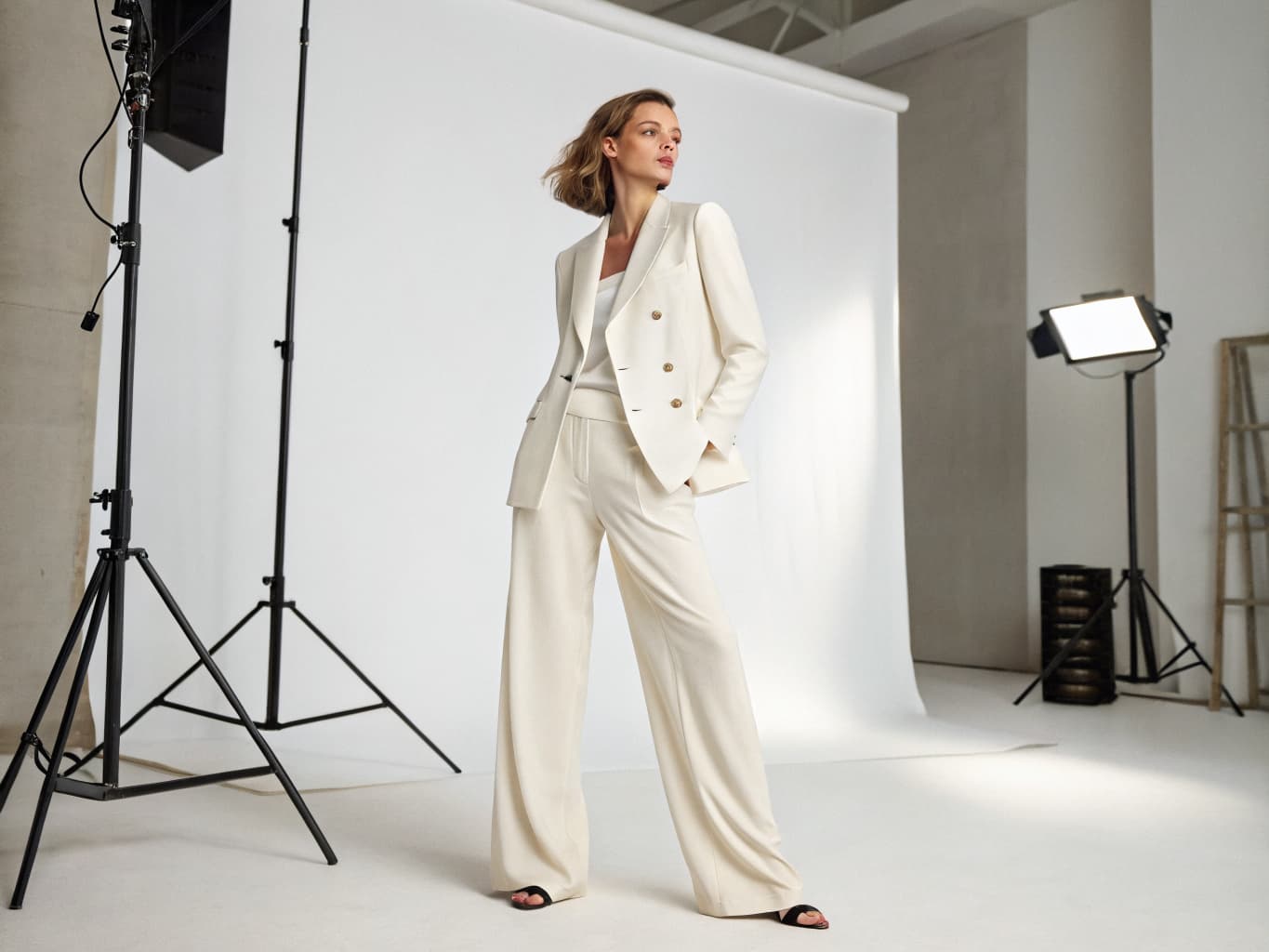
AI Virtual Try-On: How Fashion Brands Eliminate Photoshoots
Fashion e-commerce has a fit problem: shoppers cannot touch, feel, or try anything on before buying, so the clothes come back. Apparel return rates sit near 25% overall and 31% for footwear, and 53% to 70% of those returns come down to size and fit rather than damage or a wrong item shipped (Eightx).
The scale is large. The National Retail Federation projects retailers will process $849.9 billion in returned merchandise in 2025, with 19.3% of all online purchases coming back (NRF). Eightx's benchmark research puts the overall apparel return rate near 25%, climbing to 31% for footwear (Eightx). Coresight Research traces the cause back to a single issue: depending on the study, 53% to 70% of apparel returns come down to size and fit, not damage or the wrong item shipped (FashionUnited; Eightx).
Last updated: July 15, 2026.
AI virtual try-on technology is addressing this challenge directly — and in doing so, it's eliminating the need for traditional model photography entirely.
What is AI Virtual Try-On?
AI virtual try-on is a technology that realistically places a garment onto a digital or AI-generated model, preserving the garment's fabric texture, color, drape, and physical characteristics. Unlike basic "template" overlays, modern AI virtual try-on systems understand garment physics — simulating how fabric moves, folds, and interacts with the body.
For fashion brands, this creates two distinct use cases:
-
B2B content generation: Brands use virtual try-on to create product photography by placing flat-lay garments onto AI models, generating e-commerce and catalog imagery without photoshoots.
-
Consumer-facing try-on: Shoppers upload a photo of themselves and virtually "try on" garments before purchasing.
This article focuses primarily on the B2B content generation use case — how fashion brands are using AI virtual try-on to replace traditional photoshoots.
How AI Virtual Try-On Works
Step 1: Garment Extraction
The AI system analyzes your uploaded garment image. Whether you upload a flat-lay on white background, a ghost mannequin shot, or even a product photo on a hanger, the AI extracts the garment's silhouette, texture map, and color profile.
Advanced systems handle complex materials: lightweight silks, structured wools, textured knits, and layered outerwear each require different physics simulations.
Step 2: Model and Pose Selection
You select an AI model from a library of options. Platforms like Alovia offer 30+ diverse AI models representing different genders, body types, heights, skin tones, and ethnicities.
You then select a pose — editorial standing, lifestyle seated, action-oriented, or from a custom skeleton you upload.
Step 3: Realistic Draping
The AI's garment draping engine simulates how the fabric would behave when worn by a real person in the selected pose. This accounts for:
- Gravity and fabric weight
- Stretch and compression at joints
- Natural wrinkle and fold formation
- Collar, hem, and cuff positioning
Step 4: Output Generation
The system composites the garment onto the model and renders the final image at high resolution (typically 4K). The entire process takes 10–30 seconds per image.
The AI Behind the Draping
The realistic draping described above is powered by diffusion models — the same class of generative AI behind image tools like Midjourney and Stable Diffusion, adapted specifically for garment transfer. Academic research in this space has moved quickly: OOTDiffusion removed the separate "warping" step that earlier systems used to pre-shape a garment before compositing it onto a body, instead painting the garment directly onto the model during the diffusion denoising process (arXiv:2403.01779). IDM-VTON, presented at ECCV 2024, went further by feeding high-level garment details — cut, structure — and low-level texture details — weave, print — into separate layers of the model, which is why it outperforms earlier systems on garment fidelity benchmarks (arXiv:2403.05139). This is the technical reason modern virtual try-on can show how a linen shirt creases at the elbow instead of pasting a flat garment image onto a body shape.
Why Fashion Brands Are Adopting Virtual Try-On
Elimination of Model and Studio Costs
Model day rates range from $800 to $3,000+ depending on experience and market. Studio rental adds $500–$1,500 per day. AI virtual try-on eliminates both entirely.
For a brand photographing 200 SKUs per season across 3 different models, the savings are substantial:
- Traditional: 200 SKUs × 3 models × $1,000 average daily rate (shared) ≈ $20,000–$60,000
- AI virtual try-on: Included in a $150/month platform subscription
Instant Multi-Model Coverage
With AI virtual try-on, showing the same garment on models of different body types, heights, and ethnicities requires no additional shoot time or cost. Generate each variation in seconds.
This capability is increasingly important as consumers expect to see how garments look on bodies similar to their own. A 2024 survey found that 62% of shoppers are more likely to purchase when they can see a product on a model representing their body type.
Speed from Sample to Listing
Traditional process: Sample arrives → schedule shoot (2–3 weeks out) → shoot day → editing (3–5 days) → upload = 3–5 weeks minimum.
AI virtual try-on process: Sample arrives → photograph flat-lay → upload to platform → generate → approve → publish = same day or next day.
Handling Returns and Fit Issues
The global virtual try-on technology market reached $12.09 billion in 2025 and is projected to hit $15.29 billion in 2026 — a 26.5% year-over-year growth rate (The Business Research Company). Retailers already running virtual try-on in production report:
- 30–50% reductions in return rates for fashion items
- 27% increase in purchase probability when virtual try-on is available
- 180% increase in time spent on product pages with virtual try-on features (Onix Systems, 2024)
The most concrete public result comes from Zalando, which began testing virtual try-on in April 2023 and reported a 40% drop in returns on styles that used it, according to the company's director of applied science, Reza Shirvany. Zalando is rolling the feature out to all customers in 2026, after eight years of development (eMarketer). That figure is one retailer's internal test, not an industry-wide average — but it's the clearest public evidence yet that virtual try-on measurably changes purchase behavior, not just engagement metrics.
Google has made a similar bet, building AI-generated virtual try-on directly into Google Shopping — first for a handful of apparel brands including Anthropologie, Everlane, H&M, and Loft in 2023, and now extended so any shopper can generate a try-on image from a single selfie (Google; TechCrunch).
Multi-Garment Try-On: The Next Level
The most powerful virtual try-on platforms go beyond single garments. Multi-garment try-on lets brands combine:
- Top (shirt, blouse, jacket, coat)
- Bottom (trousers, skirt, shorts)
- Footwear
- Accessories (belt, bag, hat, scarf)
All in a single generation. This capability transforms virtual try-on from a product photography tool into a complete outfit styling platform — enabling brands to show styled looks that drive higher average order values.
Alovia offers multi-garment try-on as a core feature, allowing brands to generate complete outfit compositions in a single generation at 10 credits per look.
Practical Applications
E-Commerce Product Pages: Generate consistent model imagery for every SKU. Show each garment from multiple angles on diverse models.
Wholesale Catalogs: Create professional B2B catalogs and line sheets without organizing shoots around wholesale deadlines.
Social Media Content: Generate lifestyle and editorial imagery for Instagram, Pinterest, and TikTok without separate content shoots.
Campaign Materials: Produce campaign hero imagery for email, advertising, and seasonal promotions.
Size and Fit Guides: Show the same garment on models of different sizes to help customers understand fit.
Getting Started with AI Virtual Try-On
-
Prepare your garment images: Upload flat-lay photos against a clean background. White or neutral backgrounds produce the best results, though most platforms handle a variety of inputs.
-
Select your AI models: Choose models that represent your target customer. Consider gender, body type, age range, and skin tone diversity.
-
Configure poses: Select poses appropriate to the garment type — fitted dresses show better in standing poses, active wear in dynamic poses.
-
Generate and review: Review the outputs and regenerate with adjusted settings if needed. Most platforms allow instant regeneration at no extra cost.
-
Export and deploy: Download at your required resolution and push to your e-commerce platform, catalog, or social channels.
See AI virtual try-on in action at alovia.ai/demo/virtual-try-on — no sign-up required.
Common questions about AI virtual try-on for fashion brands
Q: How does AI virtual try-on work for fashion brands? A: AI virtual try-on analyzes your garment image, extracts its shape and texture properties, and realistically renders it on a selected AI model using generative AI and fabric physics simulation. The output — a high-resolution image of an AI model wearing your garment — is generated in 10–30 seconds.
Q: Can AI virtual try-on handle complex garments like suits or structured dresses? A: Modern AI virtual try-on systems handle a wide range of garment types, including structured blazers and suits, tailored dresses, knitwear, and layered outfits. Performance varies by platform — test with your specific garment types before committing to a platform.
Q: How accurate is AI virtual try-on compared to real model photos? A: Leading platforms produce imagery that is difficult to distinguish from traditional photography at standard web resolutions. Fabric texture, color, and general silhouette are typically very accurate. Complex fabric behaviors — like heavy cable knits or very lightweight silk chiffon — can be more challenging, and complex prints or fine logos remain the cases most likely to need a regeneration or manual touch-up.
Q: What file formats does AI virtual try-on accept? A: Most platforms accept JPG, PNG, and WebP input files. Output is typically JPG or PNG at 4K resolution. File size limits vary by platform (typically 10–20MB maximum).
Q: Does virtual try-on actually reduce returns, or is that mostly marketing? A: The strongest public evidence is Zalando's reported 40% return reduction after an internal 2023 test, cited by the company's director of applied science (eMarketer). That's a real, named result — but it's one retailer's internal test, not an independent, cross-industry study. Treat vendor-quoted percentages as directional and validate against your own return-reason data.
Q: Is AI virtual try-on the same as a size recommendation tool? A: No. Size recommendation tools predict which size to order based on measurements. Virtual try-on shows what a specific garment looks like once worn. The two solve different problems — reducing "which size" uncertainty versus "how will this look" uncertainty — and some brands use both.
Q: What's the difference between B2B content generation and consumer-facing virtual try-on? A: B2B content generation is brands using virtual try-on to create product photography — placing flat-lay garments onto AI models to generate e-commerce and catalog imagery without a photoshoot. Consumer-facing try-on is shoppers uploading a photo of themselves to see how a garment looks on them before buying. Both use the same underlying garment-transfer technology for different audiences.
Q: How much can a brand save on model and studio costs by using AI virtual try-on? A: For a brand photographing 200 SKUs per season across 3 different models, traditional photography runs roughly $20,000–$60,000 (200 SKUs × 3 models × a shared $1,000 average daily rate), on top of model day rates of $800–$3,000+ and studio rental of $500–$1,500/day. AI virtual try-on replaces that with a platform subscription — as low as $150/month.
Q: What is multi-garment try-on, and what can it combine in one generation? A: Multi-garment try-on lets a brand combine a top, bottom, footwear, and accessories (belt, bag, hat, scarf) into a single generated image, turning virtual try-on into a complete outfit-styling tool rather than a single-item product shot. Alovia offers this as a core feature at 10 credits per look.
Q: What AI models power modern virtual try-on's realistic fabric draping? A: Diffusion models — the same generative AI family behind tools like Midjourney and Stable Diffusion, adapted for garment transfer. OOTDiffusion removed the separate "warping" step earlier systems used, painting the garment directly onto the model during the diffusion denoising process. IDM-VTON, presented at ECCV 2024, feeds high-level garment structure and low-level texture details into separate model layers, improving garment fidelity over earlier systems.
Conclusion
AI virtual try-on is no longer a future technology — it's a production tool that fashion brands are using today to generate thousands of product images per week at a fraction of traditional costs.
With the virtual try-on market growing at a 26.5% year-over-year rate and fit issues driving up to 70% of apparel returns, the adoption curve is only accelerating.
Ready to eliminate your photoshoot dependency? Try Alovia virtual try-on free — 10 free credits, no credit card required.
Related: AI vs Traditional Photoshoot Cost · How to Create a Lookbook with AI · Try Alovia Free →
İsmail spent years building product and technology at Altın Yıldız — Turkey's benchmark for premium menswear — before founding Alovia to bring AI-powered content creation to fashion brands worldwide.
Connect on LinkedIn →